VueFinder 4.5: the preview modal grew up
VueFinder 4.5 picks up where 4.4 left off — the editor and preview infrastructure were the big-ticket items in 4.4, and 4.5 doubles down on them. The preview modal got a complete UX rewrite, image preview gained a real multi-tool editor, and a handful of long-standing rough edges got smoothed out.
Preview modal rewrite
The previous preview modal had two control surfaces fighting each other: a global footer with [‹] [Close] [›] [Download], and a per-previewer header inside Text / Csv / Image with [Save] [Cancel] or [Crop] [Cancel]. Two locations, two visual languages, and on mobile the footer ate ~80px of vertical space for actions a thumb couldn't comfortably reach anyway.
4.5 collapses both into a coherent shell.
New chrome layout
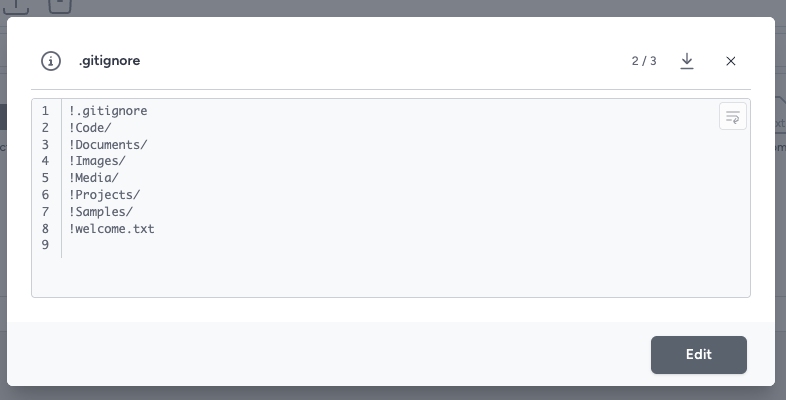
The top bar (PreviewChrome.vue) holds info popover · filename · counter · download · close — that's it. No edit buttons here. Filename truncates so the actions never get crowded out. The i icon is borderless and sits before the filename so it reads as part of the title cluster, not another action button. Download is a single icon toggle that opens a popover containing the actual download link plus the "right-click → Save link as" hint (hidden on mobile, where right-clicking isn't a thing).
The modal's existing footer hosts edit actions instead: [Edit] in view mode, [Cancel] [Save] in edit mode. Wrapped in a flex container so the height stays pinned across the mode swap — a small thing, but the modal jumping by 40px when you click Edit is exactly the kind of micro-frustration that adds up.
The PreviewControls contract
Coordinating "chrome is up here, edit lifecycle is down there" needed a shared protocol. New file types/preview.ts:
interface PreviewControls {
  isEditable: ComputedRef<boolean>
  isEditing: ComputedRef<boolean>
  isDirty: ComputedRef<boolean>
  primaryActionLabel: ComputedRef<string | null>  // 'Save', 'Crop', ...
  enterEdit: () => void | Promise<void>
  commitEdit: () => void | Promise<void>
  cancelEdit: () => void | Promise<void>
  extraInfo?: ComputedRef<{ label: string; value: string }[]>  // for the [i] popover
}
Each previewer calls usePreviewControls(...) in setup with its reactive contract; the chrome reads from a single shallowRef on app.modal that the latest-mounted previewer registers into. PDF/Video/Audio/Default don't register at all — controls === null collapses the contract reads to isEditable=false automatically, which hides the Edit button.
Image uses extraInfo to plug intrinsic width × height into the [i] popover once the bitmap loads — chrome doesn't have to know anything about image dimensions.
The reactive() gotcha that ate a few hours
ServiceContainer.ts wraps the app instance in reactive(...). That auto-unwraps refs accessed through the proxy. My first version of the chrome read app.modal.controls.value — which works fine in isolation but evaluates to undefined.value (TypeError) once the ref is unwrapped by the reactive layer. The fix is a one-character delete (app.modal.controls instead of .controls.value) but the symptom — "registration log says success, Edit still not showing" — was deeply unhelpful. Worth filing under "yes, refs unwrap in reactive proxies; no, the docs don't shout about it."
Edit + dirty state, made unmissable
Previously edit mode signalled itself only by the action bar flipping Edit → Save+Cancel, and dirty was a single • bullet before the filename. Easy to miss when your attention is on the content.
4.5 swaps the bottom pagination chip for an amber state chip in edit mode:
- View mode →
3 / 27(subdued gray pagination) - Edit + clean →
EDITING(outline amber) - Edit + dirty →
UNSAVED(solid amber, white text)
Same slot, matched box-model (both rounded-full with a 1px border, identical padding and line-height), so the modal doesn't twitch as the chip swaps. Plus a 3px amber inset stripe along the modal's top edge as a peripheral cue — you can be staring straight at a long text file and your peripheral vision still says "you are editing."
Single close path
Three things used to close the modal independently: the [Close] button, Esc, and overlay-click. Each was wired separately. New requestClose() flow goes through one guard: if isEditing && isDirty, fire a native window.confirm("Discard unsaved changes?") before actually closing. ModalLayout exposes an onRequestClose prop so any modal can opt in to the same pattern; ModalPreview is the first user.
Mobile: card-swap swipe gesture
Side chevrons are great on desktop but useless on mobile where they're invisible without hover. 4.5 adds a real drag-with-animation swipe:
- Touch the chrome title or the bottom status strip
- Drag horizontally → entire modal body translates with the finger
- Past ~22% of viewport width → "stage 1" animates the body all the way off screen (220ms), then the item swaps, the body is pre-positioned off the opposite side and animates back to center
- Below threshold → snap-back
The card-swap choreography (not just sliding the content within a stationary modal) is what sells the "next file is right next door" feel. iOS Photos / Instagram Stories pattern.
The gesture is scoped via an allowlist, not a blocklist. Only touches that start on the title or the status strip arm the swipe. Anywhere else — image pan, PDF scroll, video controls, text selection, cropper handles — is owned by the component below and never triggers modal navigation. Adding a new previewer doesn't mean expanding an interactive-element selector; it's safe by default.
CodeMirror readonly polish
When the editor was open in view mode (not editing), it looked exactly like an editor — same white background, blinking caret, active-line highlight. Users would click into it expecting to type and nothing would happen. 4.5 makes readonly visibly distinct: gray surface (bg-secondary), muted text, no caret, no active-line highlight, gutter tinted further. Flipping into edit mode restores the full contrast editor look so "I can type now" is unambiguous.
CodeMirror word-wrap toggle
A small icon in the top-right of the editor that flips EditorView.lineWrapping via a Compartment. Persists to localStorage['vuefinder:codemirror-wrap'] so your preference sticks across sessions. Works in both readonly and edit modes.
Image editor: multi-tool

The 4.4 image preview's edit mode dropped you straight into a vue-advanced-cropper and a single "Crop" button — overwrite the file or cancel. No rotate, no filters, no anything else. 4.5 turns it into a tabbed editor (iOS Photos-style top strip):
- Crop —
vue-advanced-cropper+ aspect-ratio chips (Original / 1:1 / 4:3 / 16:9 / 9:16) - Rotate — ⟲ / ⟳ 90° + Flip H/V
- Grayscale — toggle with CSS live preview
- Adjust — Brightness / Contrast / Saturation sliders (−100..+100)
The model: destructive working canvas
I considered an operation-stack approach (keep originalImage + operations[], render the preview by replaying the stack — non-destructive, undoable). Ended up rejecting it for v1: way more code, and the "Apply" mental model the user wanted maps naturally to destructive bakes. One workingDataUrl ref on Image.vue, each tab's Apply mutates it, the bottom Save uploads it. Cancel reverts the whole working URL to the original. No undo within the session — Cancel-and-restart is good enough at this size.
Picking model A meant the editor code is ~750 lines net (component + canvas helpers + CSS) instead of ~2000+. The "undo" feature ships as a roadmap item if/when people ask for it.
Live preview, bake on Apply
All filter-style operations preview via plain CSS:
// Live preview
<img :src="workingUrl" :style="{ filter: 'brightness(1.2) contrast(0.9)' }" />

// On Apply — bake into the working canvas
ctx.filter = 'brightness(1.2) contrast(0.9)'
ctx.drawImage(img, 0, 0)
return canvas.toDataURL(mime, 0.92)
Same string of filter functions in both places, so the live preview is byte-accurate to what Apply will produce. ctx.filter is well-supported in every modern browser, removing the need for a manual getImageData → pixel loop → putImageData.
Two small details that matter
Rotate direction stays the same. Click rotate-right four times: 0° → 90° → 180° → 270° → 0°. But CSS animates along the shortest path, so the 4th click visually rotates backwards 270°. Fix: keep pendingRotation as unbounded degrees (0 → 90 → 180 → 270 → 360 → 450 → ...). CSS now always animates +90° in the same direction. Modulo'd back to 0/90/180/270 only at bake time, where the canvas needs a concrete quarter-turn.
Crop "dirty" doesn't fire until you actually drag. vue-advanced-cropper emits @change a few times during init (auto-zoom, image-fit). Without a guard, opening Crop and immediately hitting Cancel would prompt for unsaved-changes. A 400ms settle window after enterEdit ignores @change events; the cropper-touched flag only flips true after the window closes.
Go to Folder modal
Used to be prompt(t('Enter folder path:')). Replaced with a themed modal:
- Live folder autocomplete as you type, via
adapter.list()of the parent segment. Debounced 150ms; monotonic lookup id drops stale responses so out-of-order results don't overwrite fresher ones. - Storage prefix mode when there's no
://yet — suggestions are storage names. - Recent paths (last 4) shown when the input is empty, stored in
localStorage['vuefinder:recent-paths']. Each recent has a↗to insert it into the input for editing and an×to remove. - Keyboard: ↑/↓ navigate, Tab completes a folder into the input, Enter navigates, Esc closes.
- Inline errors instead of
alert().
Same TanStack-Query cache the rest of the app uses, so listing local://docs/ once means the second visit doesn't refetch.
Fixes worth calling out
Thumbnails sometimes broken after hard refresh
On hard refresh, the browser fires every thumbnail request at the same instant. Under load some fail — and vanilla-lazyload marks failed elements as errored with no automatic retry. The browser then renders its broken-image icon, which is the "?" thumbnail users were reporting.
Fix lives in useLazyLoad.ts: restore_on_error: true puts the placeholder back instead of letting the broken icon show, plus a custom callback_error that retries each failed thumbnail up to 4 times with jittered exponential backoff (≈0.6s, 1.2s, 2.4s, 4.8s). After exhaustion the placeholder remains. A WeakMap keeps per-element retry counts so detached nodes are GC'd.
Cancel button on breadcrumb refresh now actually cancels
The refresh button in the breadcrumb swaps to a Close (×) icon while loading and emits vf-fetch-abort — but nothing was listening. New cancelOpen() on AdapterManager calls queryClient.cancelQueries({ queryKey: ['adapter', 'list', ...] }), which triggers the AbortSignal TanStack Query passes to the query function, which the driver forwards to fetch(). Network-layer cancellation, not just a UI flip. open() catches the resulting CancelledError so it doesn't surface as an unhandled rejection in callers like context menu navigations.
Menubar dropdown items without enabled() predicates silently did nothing
This one was embarrassing. The click handler in MenuBar.vue read:
@click.stop="item.enabled && item.enabled() ? handleMenuAction(item.action) : null"
If item.enabled was undefined (which it was for Upload, New Folder, New File, Search, Preview, Copy Download URL, Rename, Delete, Refresh, Persist Path, Metric Units, and every storage switch), the short-circuit returned null and the action never fired. The fix is a single condition flip: treat missing enabled as "always enabled". 12+ menu actions wake up.
Backend: generic "Filesystem error occurred" → real message + correct status
Companion Laravel app vuefinder-api-php was swallowing every Flysystem FilesystemException and returning a flat 500 with "Filesystem error occurred.". Typing a nonsense path into the new Go to Folder modal would surface that uninformative blob.
Updated VueFinderExceptionHandler.php to (a) detect "does not exist" / "no such file" / "not found" patterns and return a clean 404 path_not_found, (b) pass through the underlying exception message for everything else. Frontend now displays useful errors instead of a generic 500.
Internals
vue-tsc emit caught what --noEmit missed
npm run build's type generation step runs vue-tsc with full emit. That caught a few number | null violations and an inference quirk in Array.map<T>() that the dev-loop --noEmit check let through. Worth knowing if you're shipping .d.ts files: --noEmit ≠ build-mode strictness.
i18n: 32 new keys
This release added ~32 new strings. en + tr have full translations; the other 16 locales (ar, de, es, fa, fr, he, hi, it, ja, nl, pl, pt, ru, sv, zhCN, zhTW) got English fallback placeholders via a small sync-locales.mjs script that diffs against en.js and injects missing keys before each locale's closing brace. Translation PRs welcome.
What's next
Still on the roadmap:
- Image editor: Annotate tab — pencil + eraser + text + line / arrow / rectangle / circle, color picker, undo. Native canvas with an overlay layer. Designed but deferred to keep this release shippable.
- Image editor: Filter presets — Instagram-style preset chips (Sepia / Vintage / Mono / Cool / Warm) layered on top of the existing
bakeFilterpipeline. Quick add. - Image editor: Resize / Compress tab — width/height + JPEG quality slider with live byte-size estimate.
- Custom previewer plugin API — the
PreviewControlscontract is half of it; a registry/API for third-party previewer registration would close the loop (let people plug in three.js for.dwg, a zip-contents viewer, etc.)
Issues, translations, and feedback: github.com/n1crack/vuefinder. See you at 4.6.