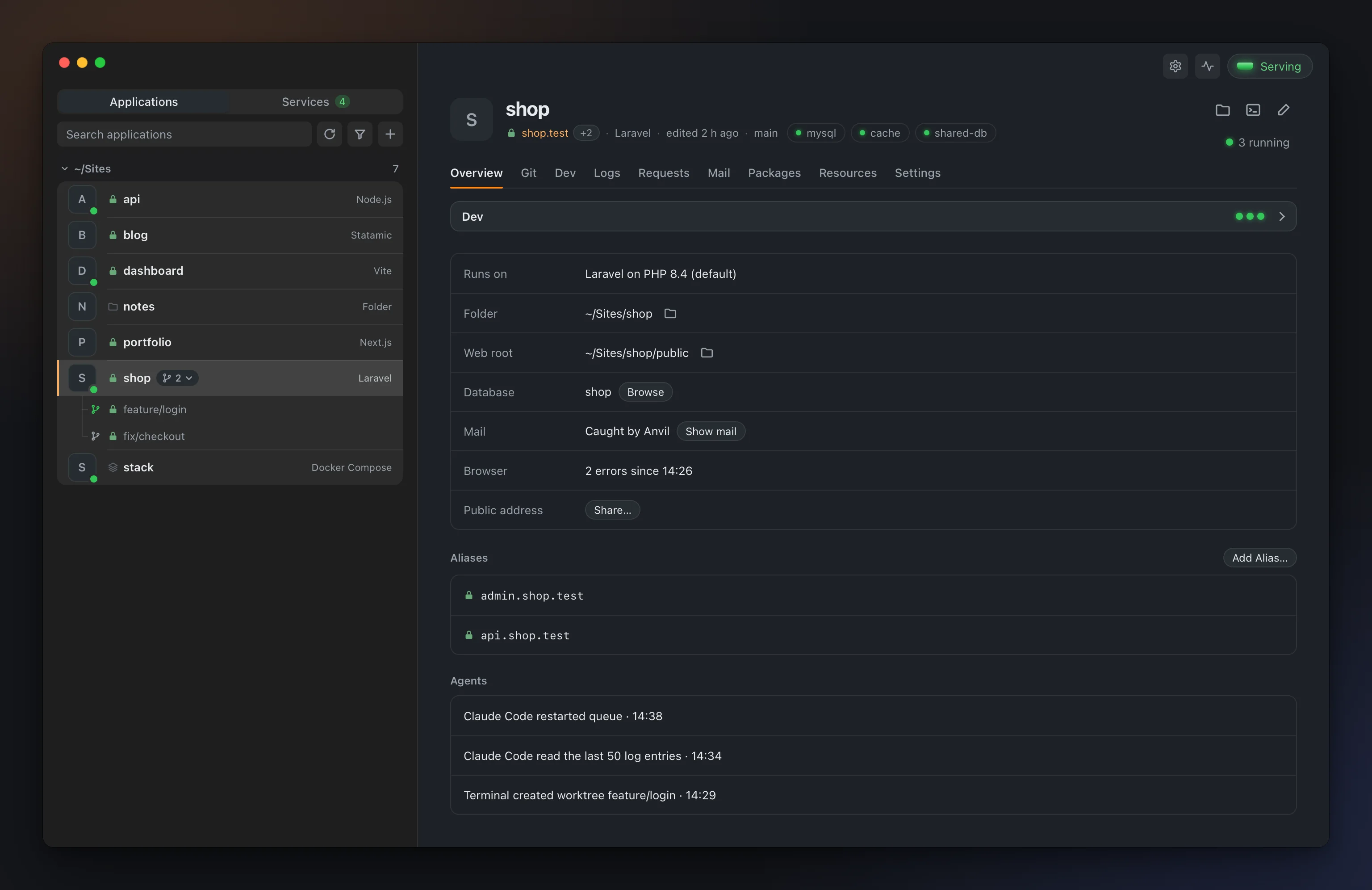
Anvil: a local development environment for PHP, Node.js and more
Anvil is a local development environment I built for PHP, Node.js, Python, Go, Rust and .NET projects. Each project runs at its own address, such as shop.test, with its own language version and its own database. It ships as a desktop app and a CLI for macOS, Windows and Linux, and it is free and open source.
Running several projects locally brings back the same problems. An old project needs PHP 8.2 while a new one wants 8.5. A Laravel app sits next to a Next.js site and a small Go service. Each has a queue worker, Vite or a dev server that has to stay open in its own terminal tab. Docker-based setups keep these apart, but they add a compose file to every project and, on macOS and Windows, a virtual machine that is always running. Anvil keeps them apart directly on your machine. Every binary lives under ~/.anvil, and the system's PHP or Node.js is left alone.

How it works
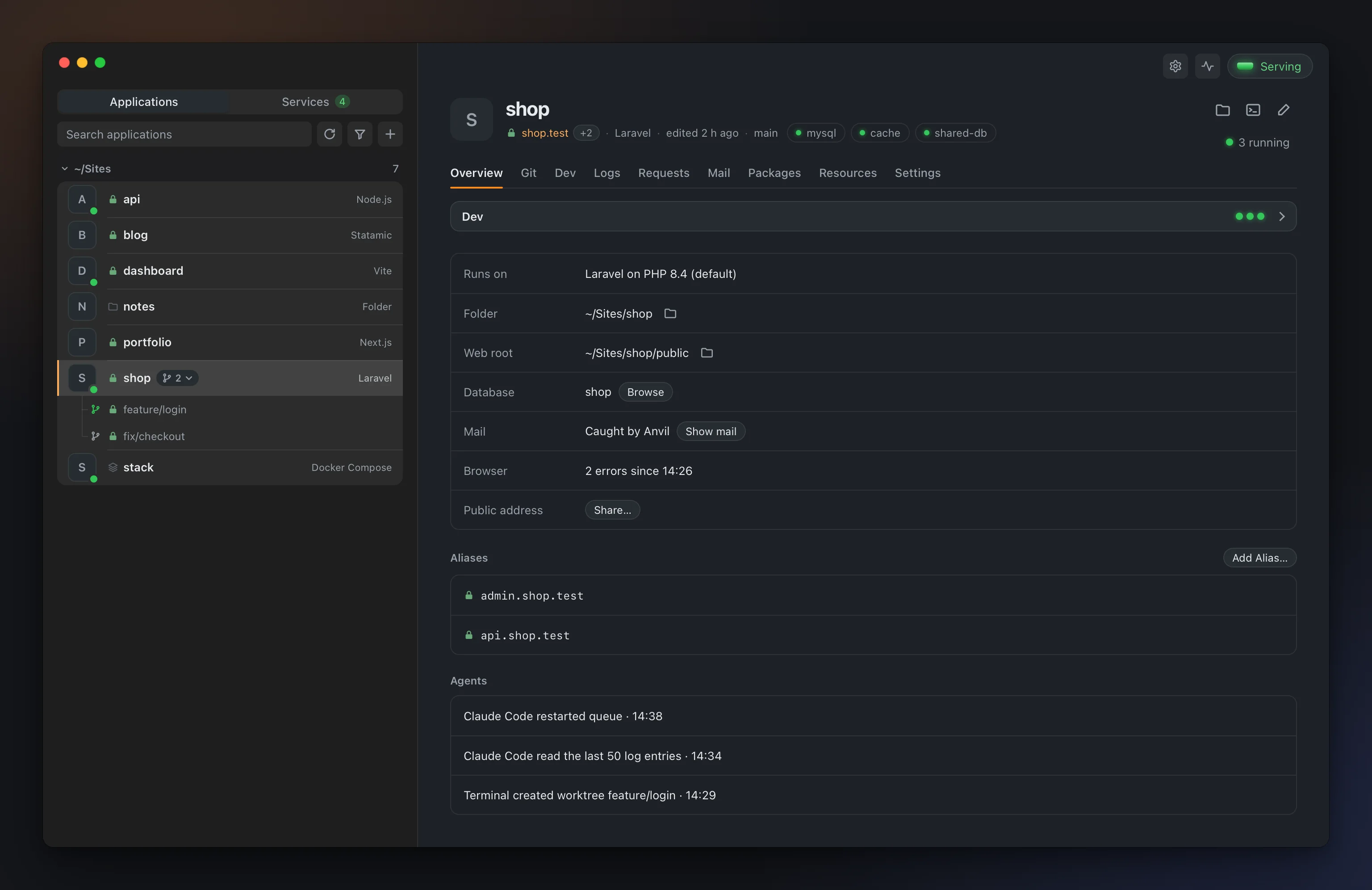
When you park a folder, every project inside it gets an address. The ~/Sites/shop folder becomes shop.test. If you have used Laravel Valet or Herd, the idea will feel familiar. Anvil takes it to languages beyond PHP.
anvil php install 8.4   # an isolated PHP
anvil setup             # .test, ports 80/443, PATH
anvil park ~/Sites      # every folder in ~/Sites becomes <folder>.test
anvil start
anvil setup asks for your password once. It sends .test lookups to Anvil's DNS, forwards ports 80 and 443 to Anvil, trusts the local certificate and puts the commands on your shell's PATH. anvil uninstall lists all of it first, then reverts it.
A project's type is read from its files. An artisan file means Laravel, a Cargo.toml means Rust, and next in package.json means Next.js. Seventeen types are recognised today, and you don't need to add a config file to your project. Anvil runs the commands the project already uses.
On macOS, a request takes this path:
flowchart LR
    B[Browser] --> D["Anvil DNS<br/>*.test → 127.0.0.1"]
    D --> C[Caddy]
    C --> F["PHP-FPM<br/>a pool per version"]
    C --> S[Static files]
    C --> P["Dev servers<br/>Node.js, Go, Rust..."]
The DNS server is built into Anvil. It answers 127.0.0.1 for every name under *.test and refuses the rest. Caddy is the web server, with one generated block per application. PHP projects go to PHP-FPM. Each PHP version has a shared pool. An application with its own php.ini values, or a worktree, gets a pool of its own, so settings don't leak between them. Node.js, Go, Rust, .NET and Python applications run their own dev server on a private port. The port is passed in $PORT, and Caddy proxies the address to it.
A version per project
PHP 8.1 through 8.5 can be installed, with 8.6 as a preview. You can pin a different version to each application. The php, composer and node commands in your terminal follow the folder you are in.
cd ~/Sites/legacy && php -v   # 8.2
cd ~/Sites/shop && php -v     # 8.4
These commands don't fall back to Homebrew's PHP. If Anvil has no PHP installed, they stop with an error instead of quietly running another binary. anvil which php tells you which binary will run. The Node.js version comes from .anvil.toml, .nvmrc or .node-version. Python, Go, Rust and .NET are isolated for the applications Anvil runs, while your terminal keeps whatever your PATH finds.
Services
You can add MySQL, PostgreSQL, Redis, Mailpit and S3-compatible storage. Each can be added as many times as you need, so one project can use MySQL 8.0 while another runs on 8.4 at the same time. Nothing runs until you add it, and everything listens on 127.0.0.1 only.
A Docker image or a container already on your machine can be added as a service too. So can a MySQL, PostgreSQL or Redis server elsewhere on your network. Writing a service's connection keys into an application's .env is one click, and Anvil shows them to you before writing.
anvil service add --docker mongo:7 --port 27017:27017
anvil service add --external db.lan:3306 --kind mysql
Dev processes
The Dev tab runs the programs a project needs while you work: a queue worker, php artisan pail, Vite, a docs site. Each shows its live output. When one crashes, its exit code is shown, the application turns red in the sidebar and you get a notification.
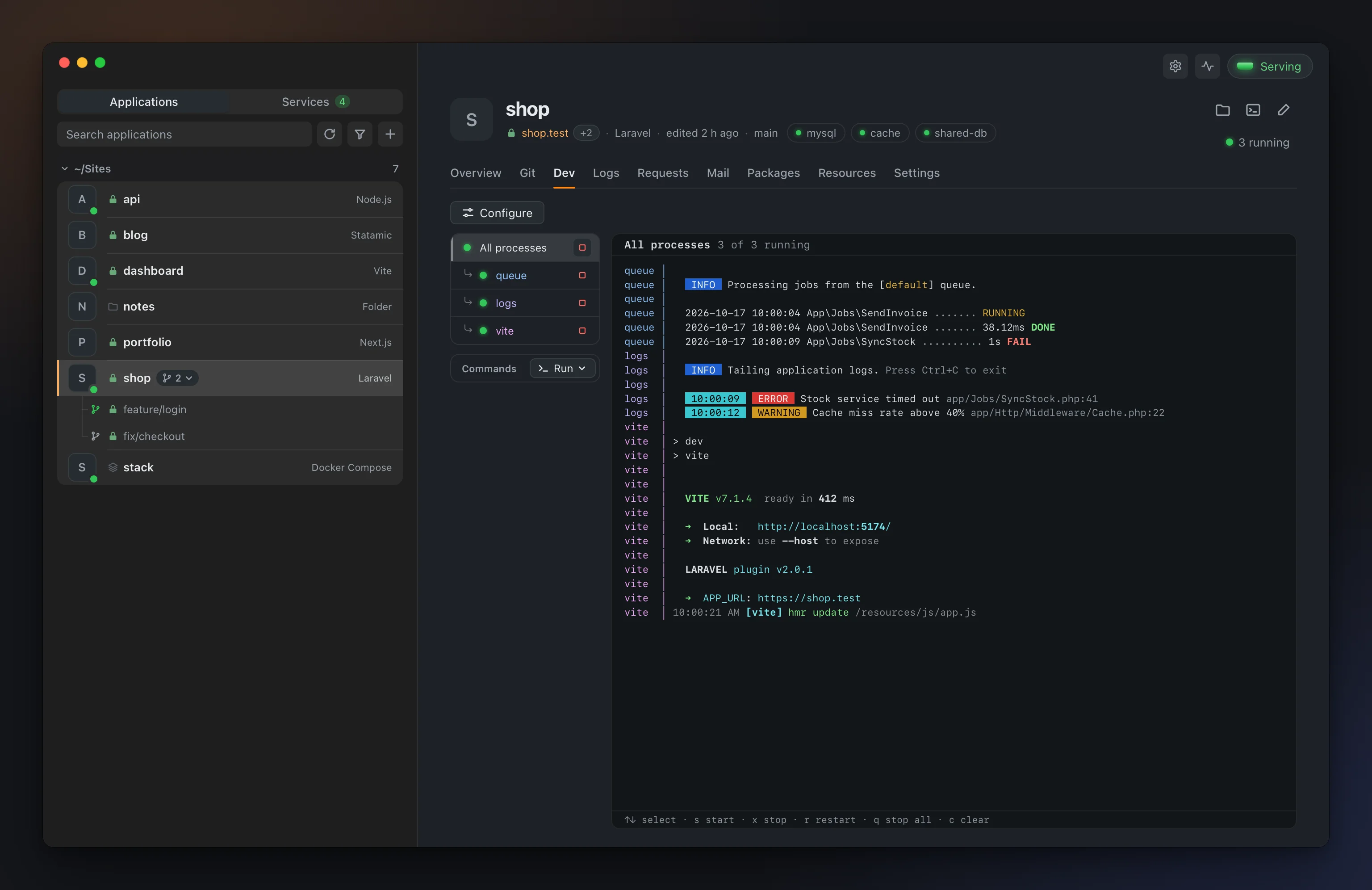
Processes are detected from the project's scripts. To set the list yourself, add a .anvil.toml to the project:
[processes]
queue = "php artisan queue:listen"
vite = "npm run dev"
What it isn't
Anvil is not a production server or a deploy tool. Everything listens on 127.0.0.1, and no other machine on your network can reach your projects. A temporary Cloudflare tunnel can show a project to someone, but it only lives until you press Ctrl-C.
It isn't a container-based environment either. PHP, Node.js and the services run directly on your machine, as your user. Docker only comes in when you add a Docker Compose project or a Docker service. Anvil doesn't install Docker; it uses the one on your machine. If you need to guarantee the exact same environment for everyone on a team, Docker-based tools such as Sail or DDEV fit that job better.
And it isn't finished. The first public release came out on 21 October 2026, and it is still a beta. Until 1.0, minor versions may contain breaking changes. The platforms differ, too. Python and Rust aren't on Windows yet. On Linux, applications open at http://<name>.localhost:8080. .test addresses, ports 80/443, HTTPS trust and PHP extensions come to Linux in a later release.
What you can do with it
Run branches side by side
Each Git worktree of an application opens next to it at its own address. For the feature/login branch of shop, you get shop--feature-login.test, its own dev processes and its own database named shop_feature_login. The database can start empty or as a copy of the application's. Redis and cache keys get their own prefix as well. That way main keeps running while you try a new feature beside it.
anvil worktree add feature/login --new --copy-db
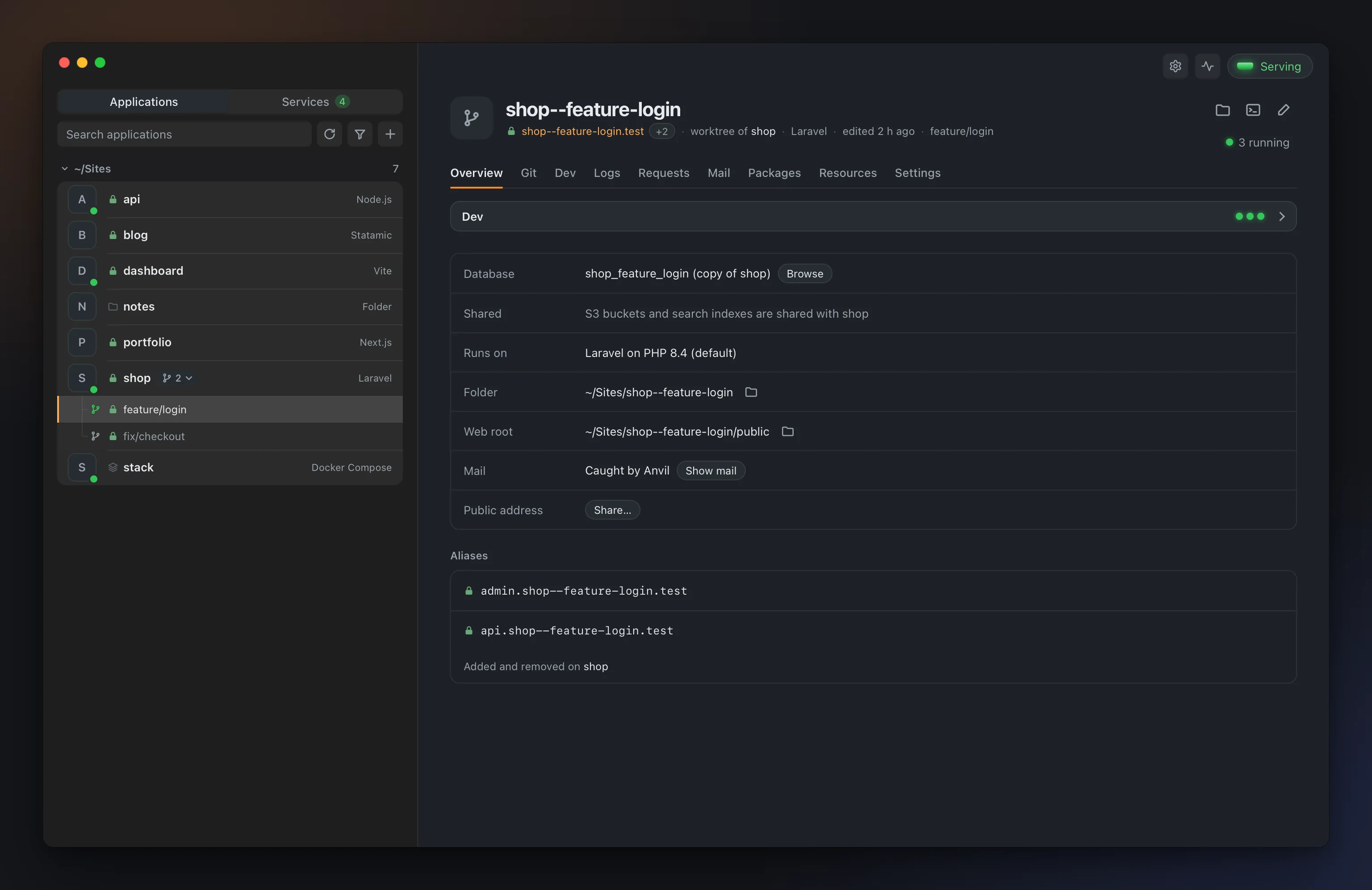
Removing a worktree is refused while it has uncommitted or unpushed changes. Its database copies are only dropped when you pass --drop-db.
Start a project from scratch
anvil new creates an application from one of sixteen templates: Laravel, Statamic, Symfony, WordPress, plain PHP, a static site, Next.js, Nuxt, Vite, Node.js, Rust, Go, .NET, Django, FastAPI and Flask. For Laravel, you can also pick a starter kit and a database.
anvil new laravel shop --starter react --db sqlite
Once the project is created, its address is ready and opens straight in the browser.
Read requests, mail and logs
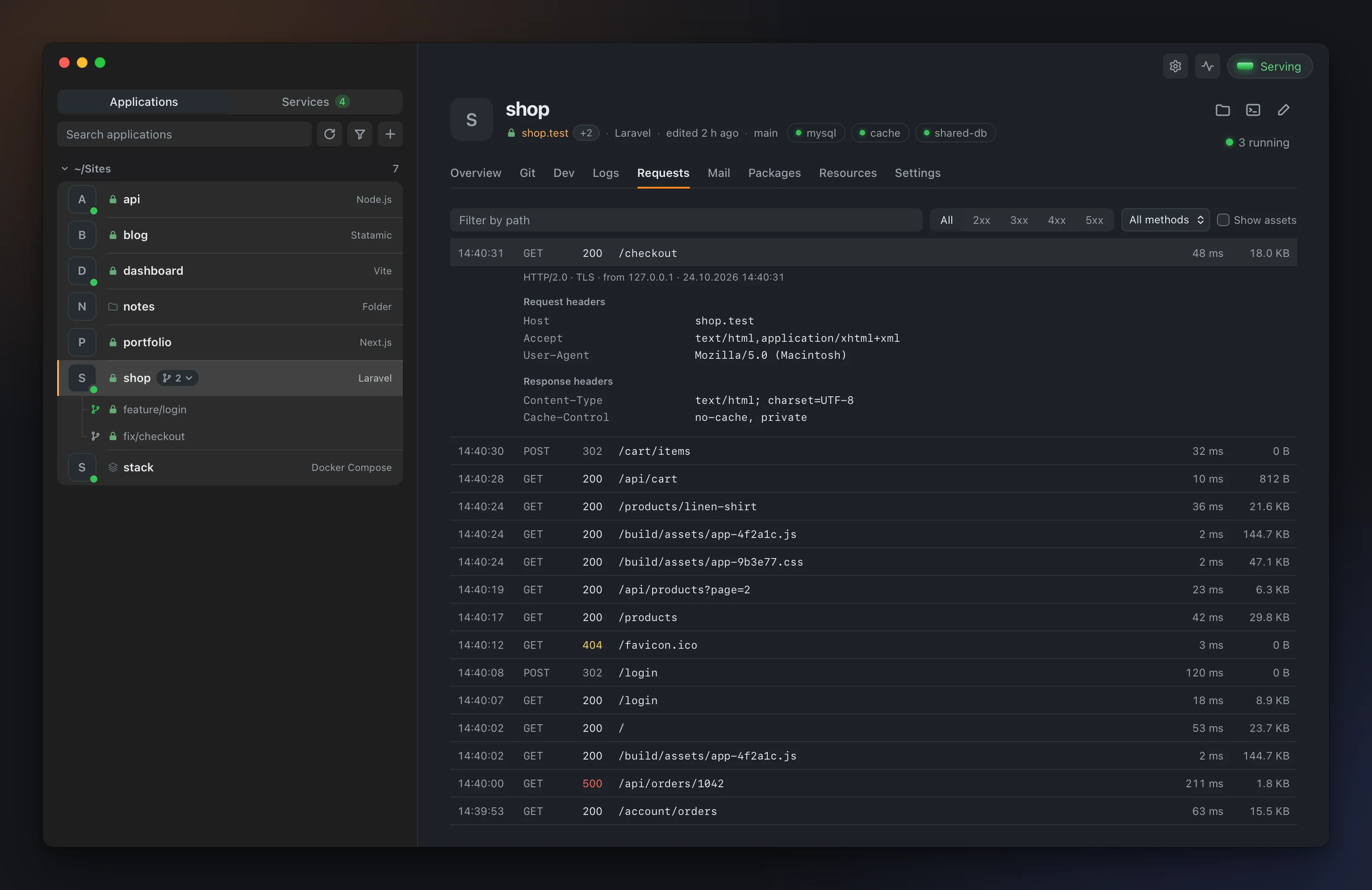
The Requests tab lists every request an application served, with its headers. The Logs tab shows Laravel, Symfony and PHP-FPM logs entry by entry. Repeated errors fold into one line, and clicking a stack frame opens the file at that line in your editor.
With the Mail catcher turned on, each application gets its own inbox. Anvil passes variables such as MAIL_HOST to the application's processes and web requests. In Laravel and Symfony these take precedence over .env, so you don't have to change any file in the project. Mail is stored and never sent anywhere.
Give AI agents access
Anvil includes an MCP server. MCP is a protocol that lets agents such as Claude Code call outside tools. The feature is off by default; you turn it on under Settings › Features.
claude mcp add anvil -- anvil mcp
The agent works on the application of the folder it runs in. It can start and stop applications and read logs, requests, caught mail and JavaScript errors from the browser. It can ask what broke since it last looked, and it can add and remove worktrees. Nothing irreversible is exposed. Dropping databases, deleting service data or uninstalling are off-limits to the agent. It can't change start commands or php.ini either, so the agent can't decide what Anvil runs. Log, request and mail text is marked as untrusted.
Open an application to the outside
With Settings › Features › Tunnel turned on, you can share an application at a temporary public address. This uses Cloudflare's quick tunnel, and the address stays open until you press Ctrl-C.
anvil app share blog
That is enough to test a webhook locally or to show a working screen to someone.
Current state
Anvil is at version 0.3.2 and in beta. It is written in Rust, and the desktop app runs on Tauri. The web server is Caddy, and the PHP builds for macOS and Linux are compiled from php.net's releases with static-php-cli. A new PHP patch release arrives within a day and, by default, installs itself in the background. It is licensed under GPL v3.
brew install --cask n1crack/anvil/anvil
Download the installer from the releases page. For Linux there is an AppImage, a .deb and the CLI alone.
It runs on macOS 12 or later. Windows needs 10 or 11, and Linux needs glibc 2.35 or later.
- Docs and downloads: anvil.tr
- Source code: github.com/n1crack/anvil
If you get stuck trying it, feel free to write to me.